For people who want to use Dreamwidth, but are totally confused about how it works!
What is Dreamwidth?
Dreamwidth is a social media platform founded in 2009 after Strikethrough
It’s made out of a heavily-modified version of Livejournal code
It’s based around producing your own original content, and seeing original content other people post
The site is owned and run by fans and aims to provide creative people with an Internet home
Getting around your account
Your journal is like your “home”. It’s where you keep your stuff. It’s got different parts:
Recent Entries: View your posts in chronological order
(yourusername.dreamwidth.org)
Profile: Your “about” page
(yourusername.dreamwidth.org/profile)
Archive: See your posts as a calendar
(yourusername.dreamwidth.org/archive)
Tags: See all the tags you’ve used and go to their posts
(yourusername.dreamwidth.org/tag)
Memories: Like the “Likes” feature on Tumblr
You also have a “Reading” page (yourusername.dreamwidth.org/read)
This is like your Tumblr dash
It’s where you read entries from your “circle”, the people and communities you’re subscribed to
You can customize it a lot with filters and control who you see when
You also have a “Network” page (yourusername.dreamwidth.org/network)
This is where you see posts from everyone that everyone in your circle subscribes to
It’s a great way to discover new stuff and also learn what awful taste some of your circle members have
Finding new things
Listing an Interest in your profile is like getting listed in the phonebook. This is opt-in, choosing to say, “Yes! I’m really into this thing! Consider me a person who blogs about it!
Content Search is the more powerful way to search through the blog of everyone who’s opted into it, so you can look for everyone who’s posting about a certain thing right now. However, you’ll have to wade through a lot more junk.
Communities are Dreamwidth’s social hubs. They’re places where a lot of people can share content they’re interested in and talk to each other. Unlike Tumblr tags, they’re managed by specific people and have rules, so people behaving badly can get kicked out.
Latest Things is a direct firehose of EVERYTHING PUBLICLY POSTED TO THE SITE, HOMG
Privacy controls?! That’s a thing?!
You get to choose who sees your posts! You can make your posts public, private, or “locked”, which means only people you’ve added to your access list can read them
When you add a new person to your circle you can choose to subscribe to them, to make their posts show up on your Reading page, and/or to grant access, which lets them see your locked posts. You can do one, the other, or both!
Likewise, communities can make posts viewable to members only.
You can also create custom access filters, to allow only some of your access list to see a post.
Banning someone means they cannot leave you comments or send you messages. There are more advanced tweaks to make sure they never show up on your reading page if they post to a community you subscribe to, or remove them from the comments on a post.
Comments
The comments to a post are where the real fun happens.
Comments are sent to the email of whoever you’re replying to. They’re a real conversation. You’re not shouting into the void–you’re talking back directly to the post’s originator and other commenters.
You can edit your comment so long as it hasn’t been replied to, and you can delete your own comments.
The originator of the post, and administrators if it’s a community, can delete threads, or “freeze” them, leaving them intact but preventing anyone from replying to them.
You will add new skills to your resume
Dreamwidth leaves a lot more “backend” open so you can customize your experience to a huge degree. However, this means learning or using coding languages like HTML and CSS
The comment box on entries does not have a built-in text editor, so you will have to add your own HTML if you want to add <i>italic</i>, <b>bold</b>, or <a href=“http://websiteurl.com”>links</a>.
this was in North Carolina in response to Samuel Oliver-Bruno being baited by ICE into leaving his sanctuary church. Samuel was taken from Raleigh to George to Texas and has now been confirmed as deported. His wife is medically ill and his son still lives in NC. Here is a link to how to support Samuel and his family: https://www.sanctuaryatcitywell.org/help
I was just semi-complaining that I was still looking for a decent way to backup my +6k posts without having to use paid services or even just wordpress (which has an import from tumblr tool that asks for permission to access your blog and also make posts), when I decided to actually put some effort into my google search.
Results were positive: I have successfully backed up my blog*
*By which I mean: everything that I have ever posted. Not included: drafts, queue, likes, followers, following, comments, notes, chat.
I followed this method (word by word), and now have a 450 MB folder on my computer with the name of my blog on it containing:
1. Folder “Archive” (contains .html files listed by month) 2. Folder “Media” (contains gifs and images, mine has +1k files in it; might contain also audios but I have no way of confirming that because I’ve never reblogged an audio post from this blog) 3. Folder “Posts” (contains single .html files, each one a post; I have +4k files in it) 4. Folder “Theme” (contains only my avatar, but it might be a matter of if you have personalized themes or not) 5. .html file “Index” (by opening it it will give you the archive of your blog organized by month; clicking on a month will open up the archive for that month, and you’ll be able to read all the posts for that month as if you were on your blog**, except sans your theme graphic, with each page containing 50 posts)
**I can see gifs, links, embedded videos, tags, number of notes (but I can’t open up the notes, clearly), text is also correctly formatted.
So yeah, in case anyone wants a very quick way to back up their blog, it took me less than 10 minutes.
P.S. I didn’t have any issue, but to be on the safe side always check for spyware and virus threats before and after downloading anything.
this is actually really useful if you have an art blog full of years of work that you otherwise no longer have access to the original files. A lot of the art I have in the early days of my art blog are in that boat. I did this process JUST for that reason and I was pretty astonished at just how many pieces of media it backs up! (literally all of it) Drawings I didn’t even realize were sitting in my archive due to having been posted to text posts or undercuts, or untagged for years! It’s worth it if just for that, even if tumblr isn’t shutting down or deleting your blog.
For those of you wondering: This includes your posts in all forms, and your reblogs, as well as the number of notes they got. Furthermore, it’s implemented in a way that archives your posts by month in an index.html file that can be used while offline. You can search your tags per month by simply using ctrl+f. The only thing it doesn’t do is save the images that are in the reblogs, and it cannot save videos.
I just did this and it took less than ten minutes, and while I can say I would not have much difficulty if it had more obtuse instructions, the format of the steps is extremely simple and easy to follow for people who may be intimidated with this method.
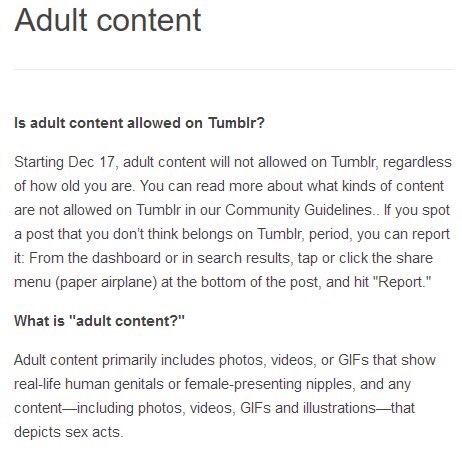
Real talk, though, because it needs to be said: as much as we all joke that porn was the only good thing this place had left, the reality is that it being the only place where one could regularly engage with and promote sexual content being gone is really not understanding at all what makes this place special. I mean we all joke about “horny on main” and all that, but the reality is that for a lot of the LGTBQ+ community, particularly younger members still discovering themselves and members in extremely homophobic environments where most media sites were banned (but Tumblr wasn’t even considered important enough to be), this was a bastion of information and self-expression. For a lot of artists too, this was a great place to come and post NSFW work and get traction that became Patreon pages that became honest jobs.
The problem with “family friendly” social media is that more often than not, the ones hit the most by the whole family friendly nonsense are marginalized groups that have no vehicles to express themselves. Stuff like YouTube consistently bans or flags simple content featuring something as innocuous as two men kissing as “adult” content and makes it hard for LGBTQ+ content creators to compete with their non-queer peers for a lot of those reasons.
The ultimate problem isn’t even that banning of NSFW content, it’s the general mess surrounding it and unintended consequences to these groups. For MONTHS Tumblr has had a huge problem with porn spam bots and outright child pornography, and for MONTHS the majority of the userbase has been in general consensus that both of these things needed to stop. Tumblr did NOTHING. Absolutely nothing. When Apple finally removed their app from the store, SPECIFICALLY because of the child pornography, Tumblr decided to do what any rich corporation owning a social media site with zero understanding of what makes it popular would do, and decided that the best course of action was to eat itself like an Ouroboros. Rather than admit that they have done an absolutely shit job at keeping pedophiles off this website and rather than hiring the necessary staff to carefully moderate content, they decided to loose a poorly programmed bot that literally deleted perfectly SFW blogs with thousands of followers, and rather than properly handling moderation, they decided that it was best to simply go the lazy route and block anything even remotely NSFW.
They run this site in the worst way possible, and I don’t understand how @support or @staff or their completely oblivious “CEO” plans to keep this sinking ship alive.
the reality is that for a lot of the LGTBQ+ community, particularly younger members still discovering themselves and members in extremely homophobic environments where most media sites were banned (but Tumblr wasn’t even considered important enough to be), this was a bastion of information and self-expression.
“Logging companies keen to exploit Brazil’s rainforest have been accused by human rights organisations of using gunmen to wipe out the Awá, a tribe of just 355.”





 willowfoot